When you have logged in to the EU Trader Portal, choose “REX” from the menu.
The system opens “My REX History”. Request registration by clicking on the button “Start Registration Request”.
If you already have a REX registration number, you can, on this page, request modification or revocation of a registration, view the details of the existing registration or print out the registration details in PDF format. In that case, the following buttons will be displayed: “Start Modification Request”, “Start Revocation Request”, “View My REX” and “Print”.
Read below what details must be provided in the request.
REX Registration Identification
Select the following details under REX Registration Identification:
- Member State of Exporters Establishment: Finland
- National authority: FI904006 – Oulu, Lupakeskus
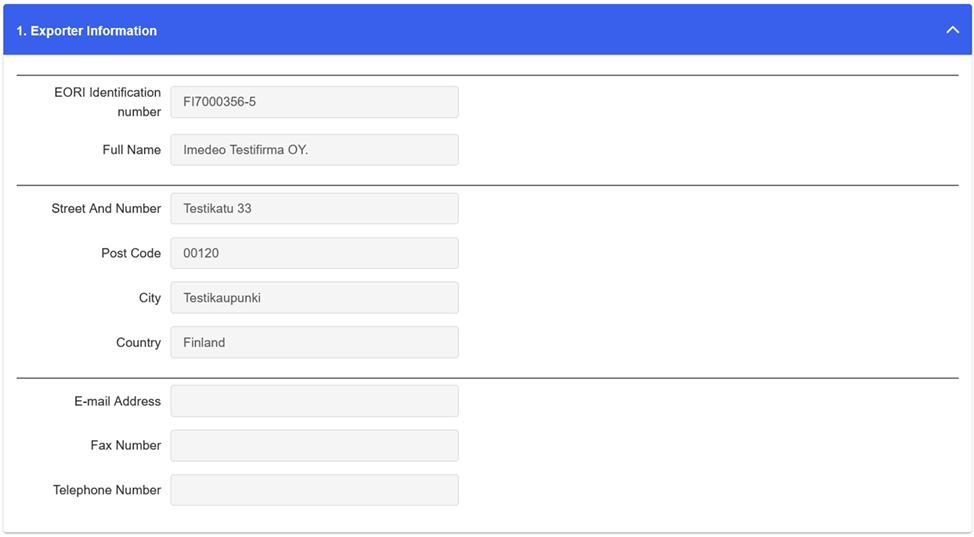
1. Exporter Information
Provide the required details of the company. The company’s actual contact information is provided in the following field.
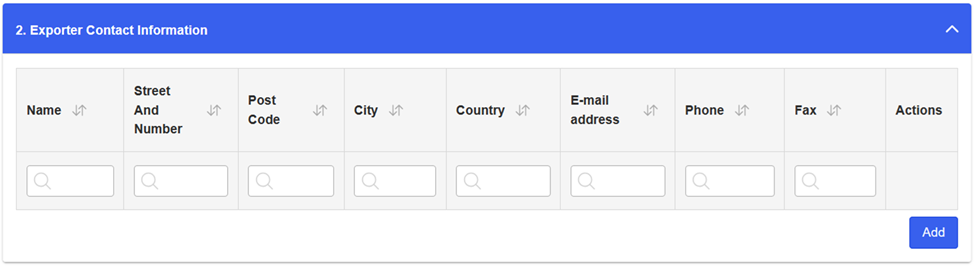
2. Exporter Contact Information
Enter the contact information of your company here. By clicking on “Add” you can add rows, if you wish to provide the contact information of more than one contact persons.
3. Exporter Activities
Select whether your company is involved in production or trading. Tick the box “Production” if you produce the products you export. Tick the box “Trading” if you export finished products produced by others. You can also tick both boxes.

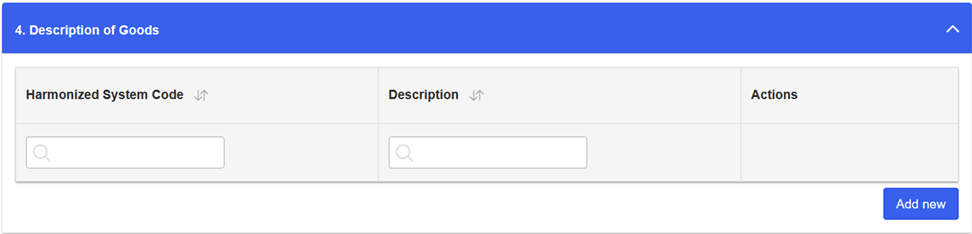
4. Description of Goods
For preferential goods, provide the four-digit commodity code.
Please note that the system will not accept codes with less than four characters. If there are several commodities with the same HS chapter, e.g. chapter 85, provide these commodities by adding two zeros after the two digits of the chapter: 8500.
You can add new goods items by clicking on “Add new”.
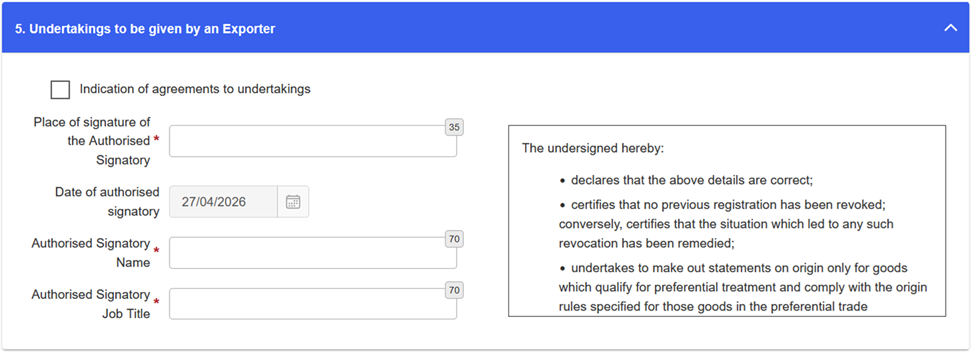
5. Undertakings to be given by an exporter
Read the text of the exporter’s undertakings carefully. After this, tick the box “Indications of agreements to undertakings”. Provide the place of signature, name of the authorised signatory and job title.
Please note that you cannot modify the details in this section later with a modification request.
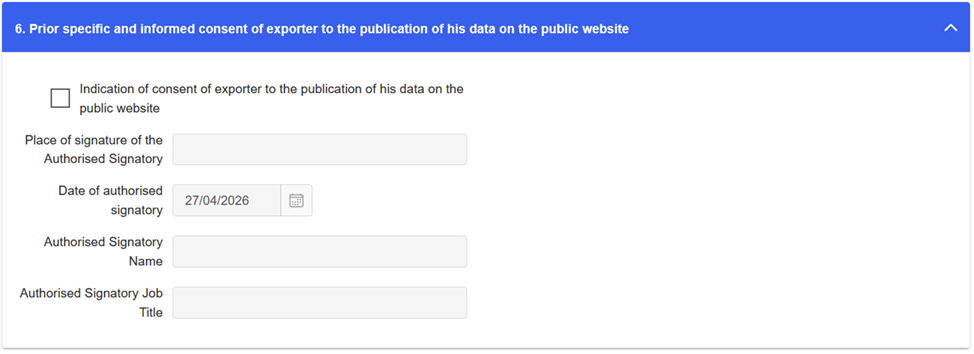
6. Consent of the exporter to the publication of his data on the Commission website
If you consent to the publication of the data you have provided in your request on the Commission website, tick the box “Indication of consent of exporter to the publication of his data on the public website”. Provide the place of signature, name of the authorised signatory and job title.
You may cancel your consent later by submitting a modification request in the REX system.
You may also choose not to tick the box. In that case, your company’s specific data will not be published on the public website of the Commission.
7. Submit the request or save it as a draft
You can send the request to Customs by clicking the button “Submit Request”.
You can also save the request as a draft by clicking the button “Save as Draft”.
Clicking on “Cancel”, cancels the request and deletes the data you have provided.
After the request has been sent, the REX system sends you the notification “Your request has been successfully sent”, when Customs has received the request.

All exchange of information between Customs and the user takes place electronically via the REX system. When you add your email address in the REX system, you will receive email notifications about changes to the status of your request and when your request has been approved.
Adding your email address
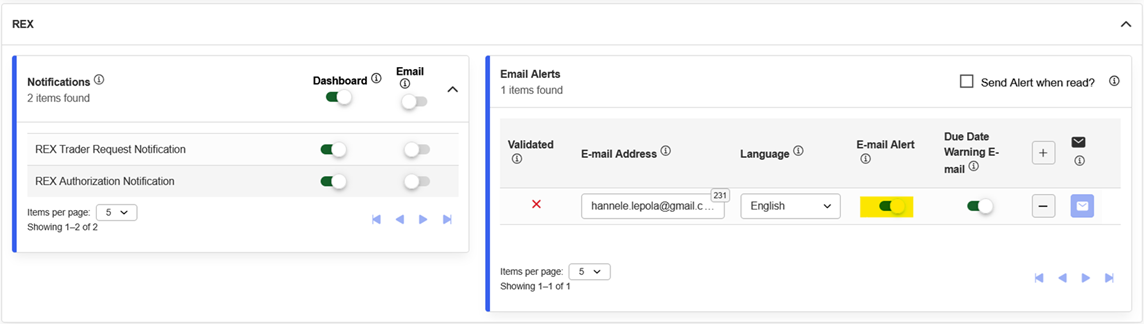
Go to your own preferences by clicking the user icon on the right. From the menu that opens, choose “Preferences”, then “REX” and “Email alerts”.
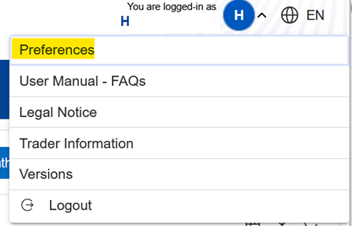
Activate the email address field, so you can enter your email address. You can add several email addresses via the plus sign (+). Finally, choose “Update”.
Removing an email address
Add you work email address or a shared email address of the company. If the employee’s rights to the system are cancelled, the employee must delete their email address before the rights are cancelled. The email address can only be deleted personally by the employee.
Language selection
Please note that the registration decision will be issued in the selected language. If you wish to receive the decision in English, select “English (en)”.